SOLIS is a commercial plug-in for STK Premium Space that enables integrated end-to-end spacecraft simulation and subsystem modeling. Inside SOLIS is a fully functioning version of MAX Flight Software. This enables realistic testing and digital twinning functionality. However, this added realism requires that the flight software has the information needed to function as it would on-orbit. MAX Flight Software can perform accurate slew and target tracking maneuvers by understanding its own position in space at any given time relative to its targets. MAX typically achieves this by being fed its position and velocity state, or ephemeris, then propagating that ephemeris forward into the future until it is given a new ephemeris entry. MAX can be provided with ephemeris information in one of three ways.
Method 1: Table Based
In the real world, as well as in SOLIS, MAX can be provided with an ephemeris in the CBI frame, and MAX will propagate that state forward with its onboard J4 propagator until it is provided with a new ephemeris value. Since the internal propagation might drift over time, when MAX is running, the ephemeris can be directly updated on the real-time commanding tab of the SOLIS Run page.
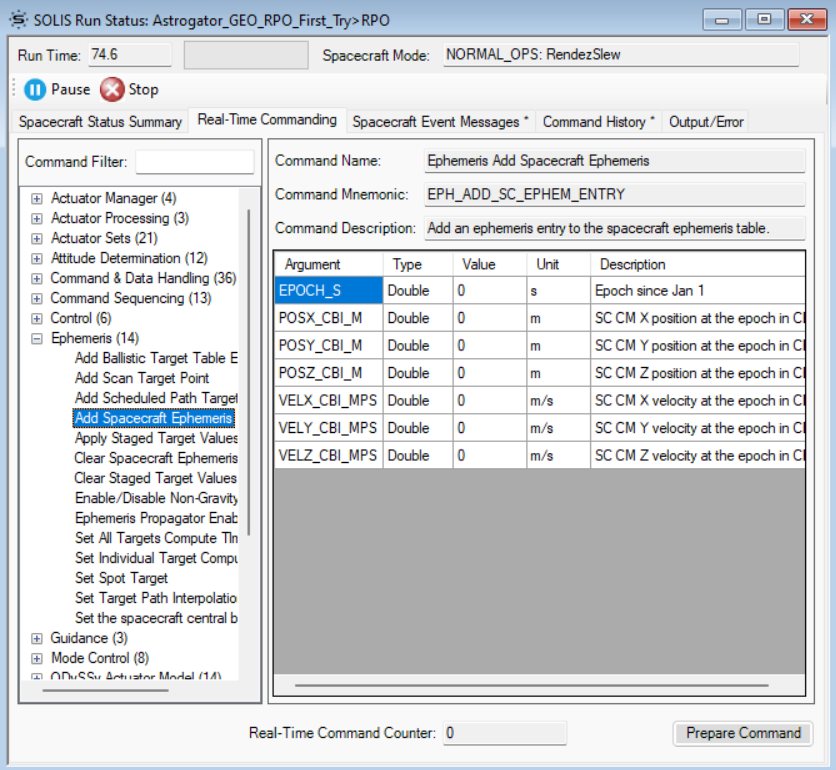
Or, more typically, the satellite can be provided with a premade ephemeris table with entries at regular intervals. When the MAX internal clock reaches the time of a new entry, it will correct its ephemeris to the new value provided and propagate forward from that ephemeris. Here is what that would look like in SOLIS on the Orbit Determination System page.
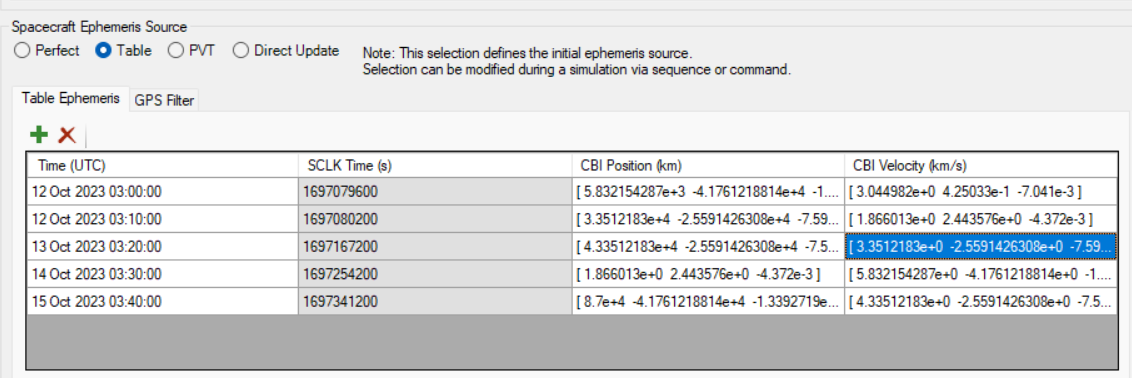
This is the recommended method of ephemeris management when using Astrogator in the same scenario because an ephemeris table can factor in the effect of maneuvers on a planned trajectory. An ephemeris table can also be used to incorporate the effects of higher-complexity force models and propagators, such as STK’s HPOP, on MAX’s understanding of its trajectory.
Method 2: GPS
Another option is to have MAX use simulated GPS data to determine spacecraft position. In this case, ODySSy takes the true ephemeris, adds noise, and feeds the GPS data to MAX at regular intervals. MAX then processes each GPS measurement with a fixed-gain filter and discards outlier ephemeris readings that diverge too much from expected values. You can read more on how GPS works with MAX here.
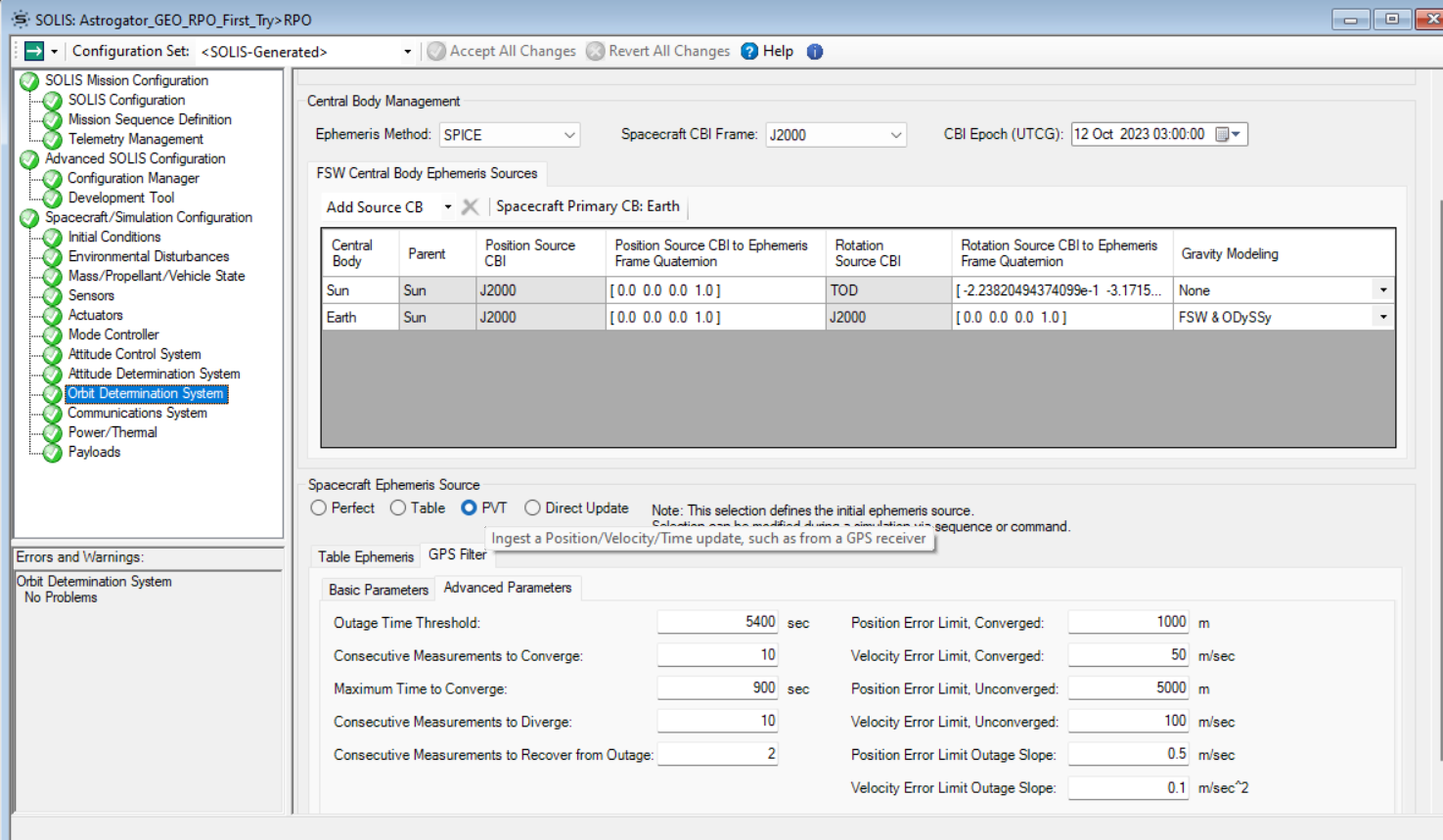
The GPS method can be configured by adding one or more GPS receivers on the Sensors page of SOLIS. On the ODySSy Simulation page, sampling rate can be set, and noise and bias can be modified and added to the GPS measurements before being sent to the flight software. In the Orbit Determination System page of SOLIS, you can set the Spacecraft Ephemeris Source to PVT - which is an option that enables MAX to receive regular ephemeris updates (such as from your configured GPS sensor).
Method 3: Perfect
When using MAX in SOLIS, there is an additional option for perfect ephemeris, where MAX is simply given the "true" ephemeris from ODySSy or STK with no bias or sampling rate. In the SOLIS Configuration page, if you select "Use ODySSy Translational Dynamics," then MAX will be fed the ODySSy propagation. Otherwise, MAX will simply use STK's ephemeris (from J4, HPOP, etc.) Please note that if you are using Astrogator, the MAX ephemeris will not be updated after maneuvers. Thus, when running SOLIS in conjunction with Astrogator, Table Based ephemeris management in SOLIS is recommended.
Was this article helpful?
That’s Great!
Thank you for your feedback
Sorry! We couldn't be helpful
Thank you for your feedback
Feedback sent
We appreciate your effort and will try to fix the article