Overview
The Space Event Generator (SEG) and Systems Tool Kit (STK) are powerful tools for testing, training and exercise support. SEG is designed to enable non-expert operators to quickly develop accurate, physics-based scenarios for common space events. While SEG can be used to model many types of Space Events, using SEG + STK allows experts to build even more complex and unique Space Events.
This article explains how SEG and STK interoperate, detailing the process of data exchange and the benefits of using these tools together. Showing how to bring content from STK into SEG, and how to bring content out of SEG into STK.
STK to SEG
STK is equipped with the Astrogator mission planning tool, which can be used to plan the orbital trajectories of various moving objects. To bring an object from STK into SEG, follow these steps:
- Plan the Object's Trajectory: Use STK's Astrogator module to define the orbital trajectory of a satellite, launch vehicle, spaceplane, or other unique object.
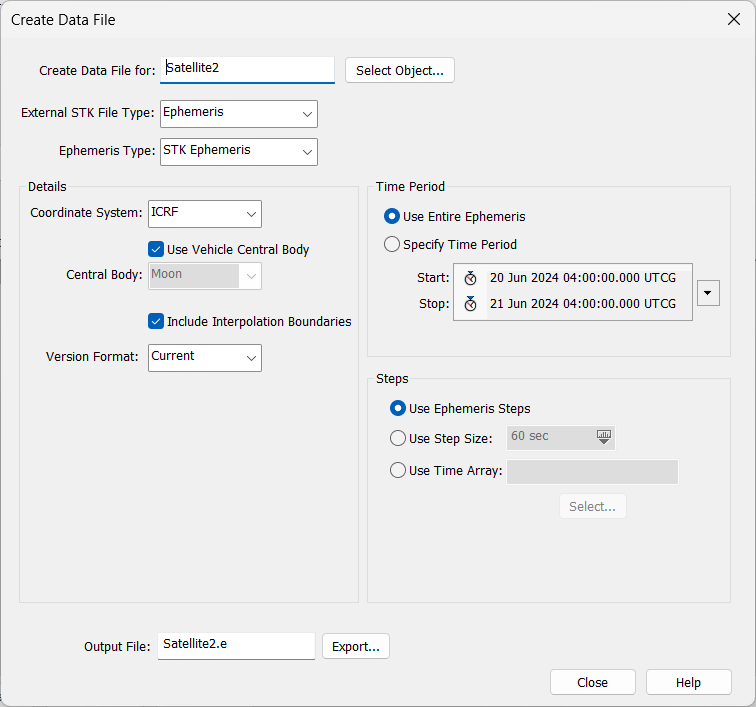
- Export Ephemeris:Once the orbital trajectory is planned, export the ephemeris of the object from STK. Here is how to export the ephemeris:
- Right Clicking on the Object in the Object Browser.
- Selecting (Ephemeris/Attitude), to open the Create Data File interface. Simply select the [Export] Button to export and save the *.e to a folder.
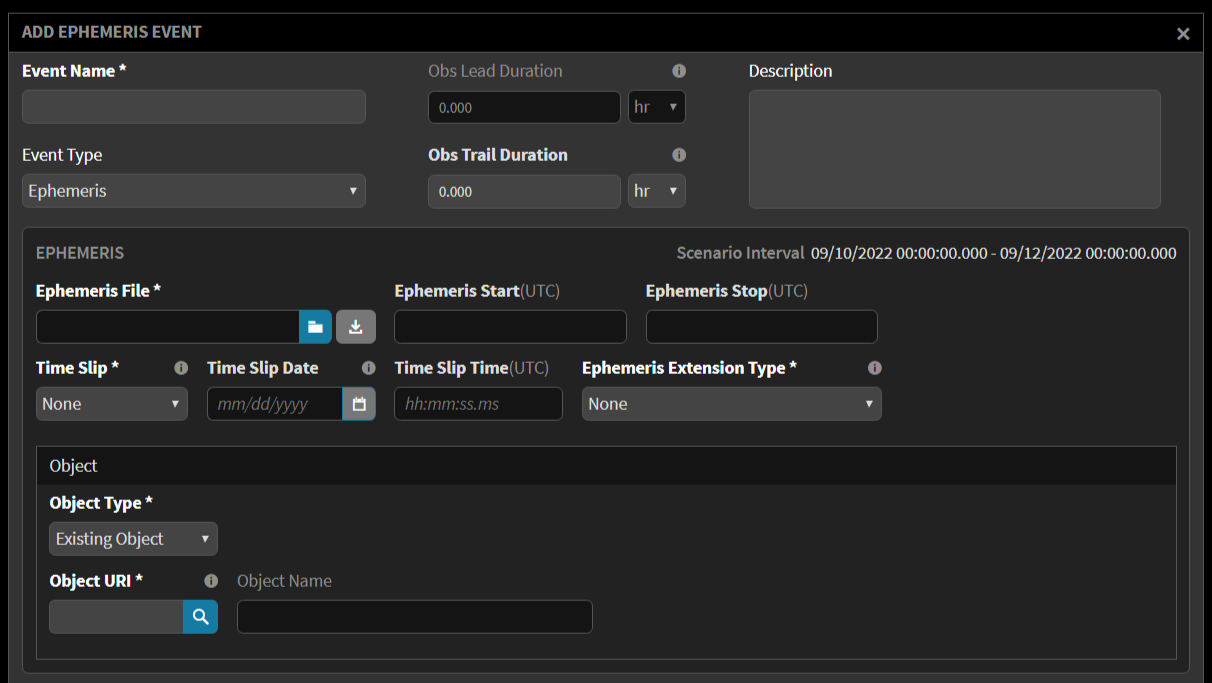
- Import into SEG:SEG can import the ephemeris through an event called Ephemeris, allowing the object to be utilized within SEG's scenarios.
- Create a New Scenario.
- Select [Add Event]
- Change the Event Type to be Ephemeris and Load the Ephemeris there.
- Note: If you want to move the Ephemeris time in any way, use the Time Slip feature.
- If you want to allow SEG to make the ephemeris longer to include more time, for example, your satellite only exists for 1 hour but your scenario is 1 day, SEG could propagate the satellite for the remainer of the day based on your ephemeris.
SEG to STK
SEG can also export data to STK, enabling the visualization and further analysis of space events:
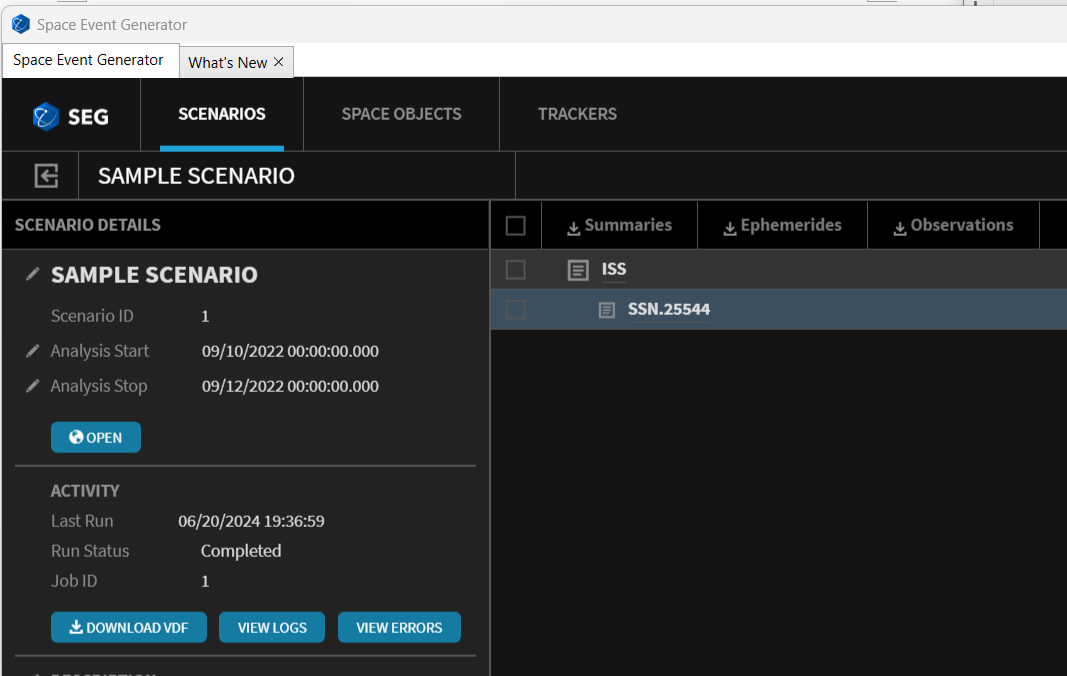
- Export Ephemeris: SEG exports its ephemeris data, which STK can ingest and display. The image below shows the Output Page, and the download button for Ephemeris. You can specify what objects you want to download the ephemeris for.
- Generate VDF: SEG generates a full VDF (STK Scenario file), allowing all events created in SEG to be visualized and analyzed within STK. The image below shows the Output page, and the [Download VDF] will download the STK scenario which includes all of the objects in the scenario.
Was this article helpful?
That’s Great!
Thank you for your feedback
Sorry! We couldn't be helpful
Thank you for your feedback
Feedback sent
We appreciate your effort and will try to fix the article