Space Object Threat Assessment (SOTA) helps you determine the risk of a threat object targeting another object.
SOTA connects to STK directly, so you can load your satellites into STK first, then SOTA can connect to STK and download the ephemeris directly. STK can also generate ephemeris data and TLE data which SOTA can ingest.
- Open SOTA, and in the Chase or Targets Vehicles, select the [Add Vehicles] Button.
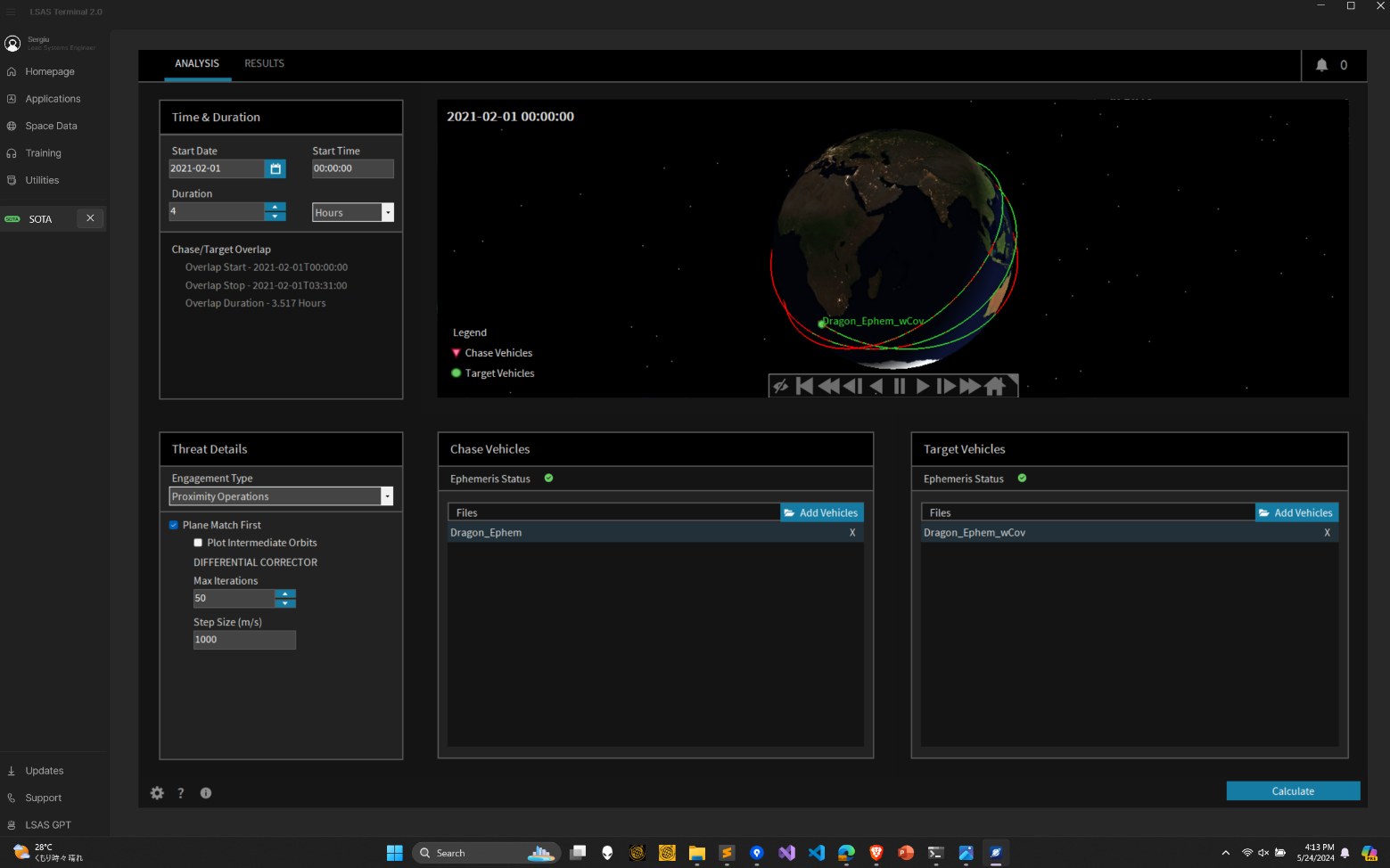
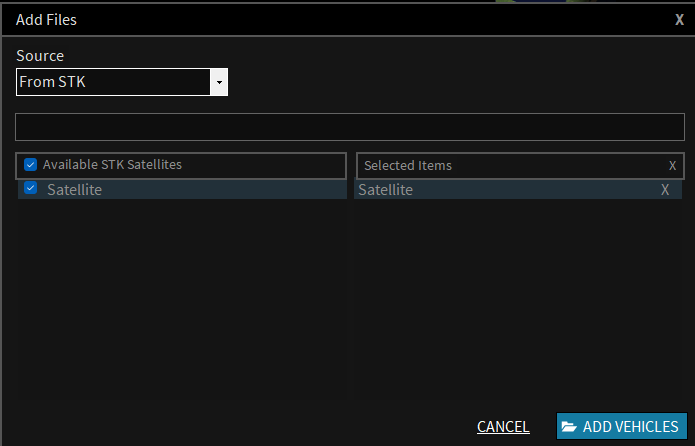
- In the Add Vehicles GUI, use the dropdown menu to select “From STK”. This will connect to the open instance of STK, and show you the available satellites you can add to SOTA. Simply click the check box of the ones you want to add, and select [Add Vehicles]
That is it. It is really simple to connect STK to SOTA. Hope this helps!
If you have any further questions or need assistance, we are here to help! Our dedicated Tec-Support team is ready to provide prompt and personalized assistance tailored to your needs. Please don't hesitate to reach out by submitting a ticket by going to https://lsas-tec.freshdesk.com/support/tickets/new. We look forward to assisting you and ensuring a positive experience.
Thanks,
LSAS Tec-Support Team
Was this article helpful?
That’s Great!
Thank you for your feedback
Sorry! We couldn't be helpful
Thank you for your feedback
Feedback sent
We appreciate your effort and will try to fix the article